
Tech
What Is a Smart Display? Explained in Simple Terms

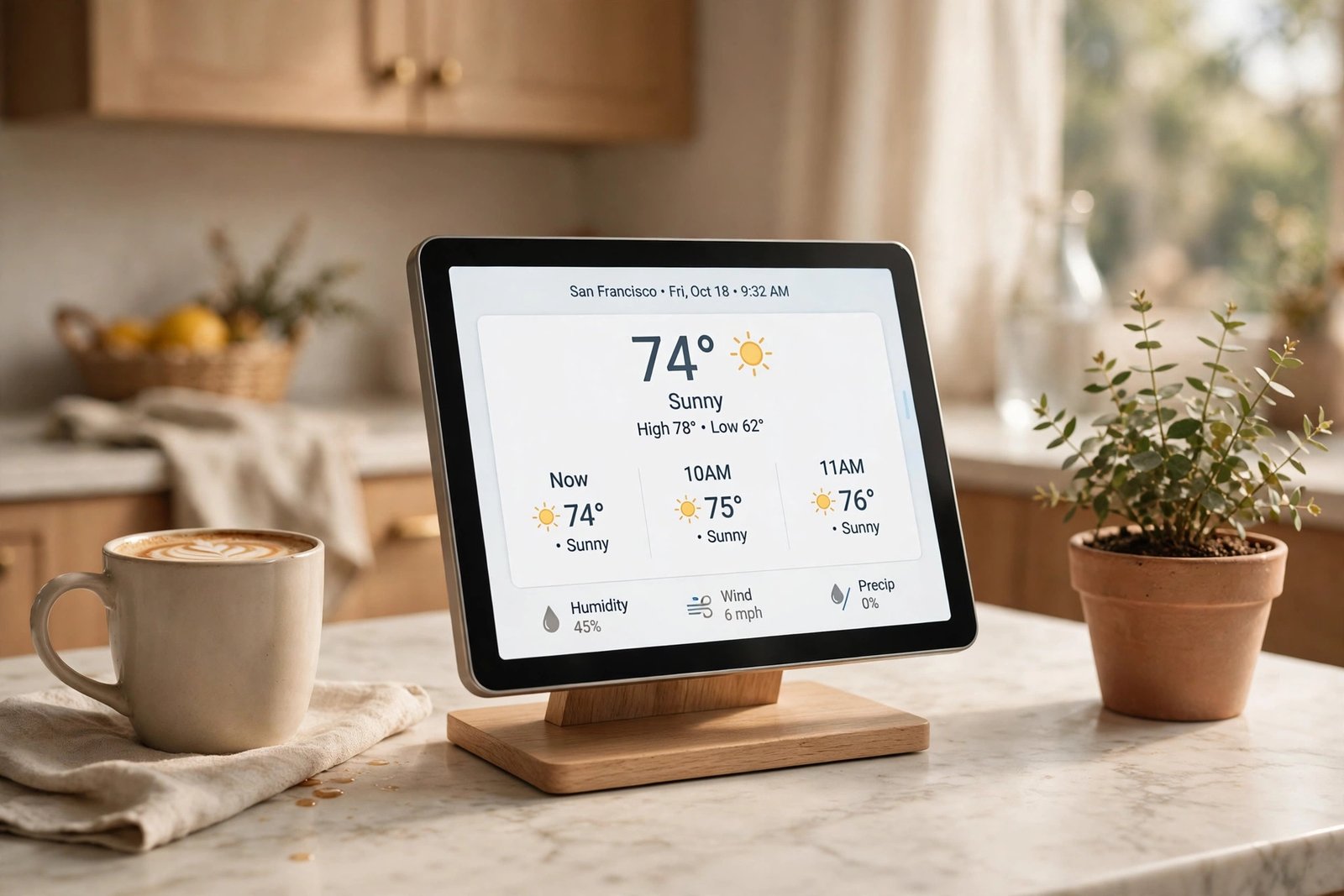
A smart display is a smart speaker with a screen built in. You talk to it the same way you talk to an Amazon Echo or a Google Nest speaker, but instead of only hearing the answer, you can see it too. The weather shows up as a forecast you can read at a glance, a recipe appears step by step, and a video call shows the other person’s face.
If you already know what a smart speaker is, a smart display is the next step up. If you don’t, the short version is this: it is a small screen for your kitchen counter, bedside table, or living room that listens for your voice and answers with both sound and pictures.
What Is a Smart Display?
A smart display is a device that combines a voice assistant, a speaker, and a touchscreen in one gadget. It stays in one place in your home, plugged into power, and connects to your Wi-Fi. You wake it up with a word like “Alexa” or “Hey Google,” then ask it something or tell it to do something.
Almost every smart display on the market today runs on one of two voice assistants: Amazon’s Alexa or Google Assistant. That is why the two big names in smart displays are Amazon’s Echo Show line and Google’s Nest Hub line.
Smart displays come in many sizes. The smallest ones, like the Amazon Echo Show 5, have a screen of about 5.5 inches, roughly the size of a phone. Mid-size models like the Echo Show 8 and the Google Nest Hub have 7- to 8-inch screens. The largest, like the Echo Show 15 and Echo Show 21, have 15.6- and 21-inch screens and are made to hang on a wall like a family noticeboard.
What Can a Smart Display Do?
A smart display can do everything a smart speaker can do, plus anything that works better with a screen. Here are the things people actually use them for:
- See the weather and your day at a glance. Ask for the forecast and you get a full week on screen, not just today’s high. Your calendar, reminders, and timers show up where you can read them.
- Follow recipes in the kitchen. This is the most popular use. Ask for a recipe and the steps appear one at a time on the screen, so you don’t have to touch anything with messy hands.
- Make video calls. Models with a camera let you call family hands-free, and the screen follows you around the kitchen on some models.
- Watch videos. Most smart displays can play YouTube, and depending on the model, Netflix or Prime Video too.
- Check your doorbell and cameras. If you have a video doorbell or security camera, you can say “show me the front door” and the live feed pops up on the screen.
- Control your smart home. Turn lights on and off, lock the door, or change the thermostat by voice or by tapping the screen.
- Act as a digital photo frame. When it is not busy, a smart display can show your photos, so it doubles as a picture frame on the counter.
Smart Display vs. Smart Speaker: What’s the Difference?
A smart speaker only talks back. A smart display talks back and shows you the answer. That one difference changes how you use it.
With a smart speaker, you ask about the weather and hear a short forecast. With a smart display, you see the whole week, including rain chances and wind. You ask for a timer and you see the countdown. You ask to turn off the lights and you see which lights are on.
The screen also adds touch. If the voice assistant misunderstands you, you can just tap the right button instead of repeating yourself. That makes a smart display easier for kids and older relatives who are not comfortable talking to a gadget.
The trade-off is size and price. A smart display is bigger than a smart speaker and usually costs more. If you only want music and quick answers, a plain smart speaker is enough. If you want recipes, video calls, and a visual dashboard for your home, the screen is worth it.
Smart Display vs. Tablet: Are They the Same?
They look alike, but they are built for different jobs. A tablet is a small computer you carry around. A smart display is a home appliance that stays in one spot.
A tablet runs on a battery, and you pick it up, carry it to the couch, and open apps yourself. A smart display stays plugged in on the counter or nightstand, always listening for your voice, and it is designed to be used hands-free. You don’t install apps on it or type on it much. It is meant to answer you the moment you speak, even from across the room.
So a tablet is better if you want to browse, read, or play games anywhere in the house. A smart display is better if you want a screen that is always on, always ready, and always in the same place.
The Main Smart Displays You Can Buy in 2026
In 2026, the smart display market is really a two-horse race between Amazon and Google.
Amazon Echo Show
Amazon makes the widest range. The Echo Show 5 is the small bedside option, the Echo Show 8 is the all-round pick for the kitchen, the Echo Show 10 has a screen that turns to face you, and the Echo Show 15 and Echo Show 21 are big wall-mounted family hubs. They all run Alexa, and the bigger models have a smart home hub built in, so they can connect directly to Zigbee, Matter, and Thread smart home devices without a separate hub. To learn more about the assistant behind them, read our guide on how Alexa works.
Google Nest Hub
Google’s main smart display is the Nest Hub (2nd Gen), a 7-inch display that runs Google Assistant. It is the only Google smart display still sold new today. The bigger Nest Hub Max is no longer sold new by Google. The smaller Nest Hub is a popular bedroom choice because it has no camera at all. Instead, it uses a small radar chip to track your sleep without a wearable. If you use a Pixel phone, Google Photos, or Nest cameras, it fits your home best. Our guide on how Google Assistant works explains what its assistant can do.
Other brands have tried smart displays, but most have left the market. Meta’s Portal, for example, is no longer in production. In practice, your choice comes down to whether your home runs on Alexa or on Google.
Do You Need a Smart Display?
A smart display is worth it if one of these sounds like you:
- You cook a lot and want hands-free recipes and timers in the kitchen.
- You already use Alexa or Google Assistant and want a screen for your calendar, weather, and smart home controls.
- You make video calls to family and want a device that sits on the counter and just works.
- You want a bedside clock that can also track your sleep and wake you with the news.
You can probably skip one if you already keep a tablet in the kitchen, you don’t like the idea of a microphone in your home, or you only want music and quick answers. In that case, a regular smart speaker does the job for less money.
If you are still deciding between a speaker and a display, our guide on how a smart speaker works will help you understand the basics before you choose.
What About Privacy?
A smart display has a microphone that is always listening for its wake word, and many models have a camera too. That is a fair concern, and it is worth knowing what controls you get.
Most smart displays have a physical microphone off button and a camera shutter you can slide closed. The Echo Show models have a built-in camera cover, so you can block the lens when you are not on a call. If a camera in the bedroom bothers you, the Google Nest Hub (2nd Gen) has no camera at all, which is why many people pick it for the nightstand.
The simple rule is this: put a smart display where a camera and a microphone are fine, like the kitchen or living room, and choose a camera-free model for the bedroom if you would rather not have one there.
Frequently Asked Questions
Do smart displays need Wi-Fi?
Yes. A smart display needs Wi-Fi to work. The voice assistant, the weather, the music, and the video all come from the internet. Without Wi-Fi, it can do almost nothing.
Can you watch Netflix on a smart display?
On most models, yes. Amazon’s Echo Show can play Prime Video and Netflix, and Google’s Nest Hub can play YouTube and Netflix. Exactly which apps work depends on the model, so check before you buy if one streaming service matters to you.
Can a smart display replace a tablet?
Not really. A tablet is a portable computer you carry anywhere and use for reading, browsing, and apps. A smart display stays in one place, stays plugged in, and is built around voice commands. It can cover some of the same jobs, like showing recipes or playing videos, but it is not a general-purpose computer.
Do smart displays work without a voice assistant?
No. The voice assistant is the heart of a smart display. You can tap the screen for some things, but almost everything it does runs through Alexa or Google Assistant, so you need an Amazon or Google account to set one up.
How do you set up a smart display?
Setup takes a few minutes. Plug it in, connect it to your Wi-Fi, and sign in to your Amazon or Google account through the app on your phone. After that, it is ready to answer you.





What Is Love Is Blind? How Netflix’s Dating Experiment Works

How Does Siri Work? Explained in Simple Terms

Cameron Diaz Bad Day: Netflix Release Date, Cast, and Plot

Empower Your SEO and Design with Seotoolsgroupbuy.us’ Designer Plan

Twstalker Twitter Web Viewer: Guide to Anonymous Twitter Browsing
