
Tech
How Does a Smart Speaker Work? Explained in Simple Terms

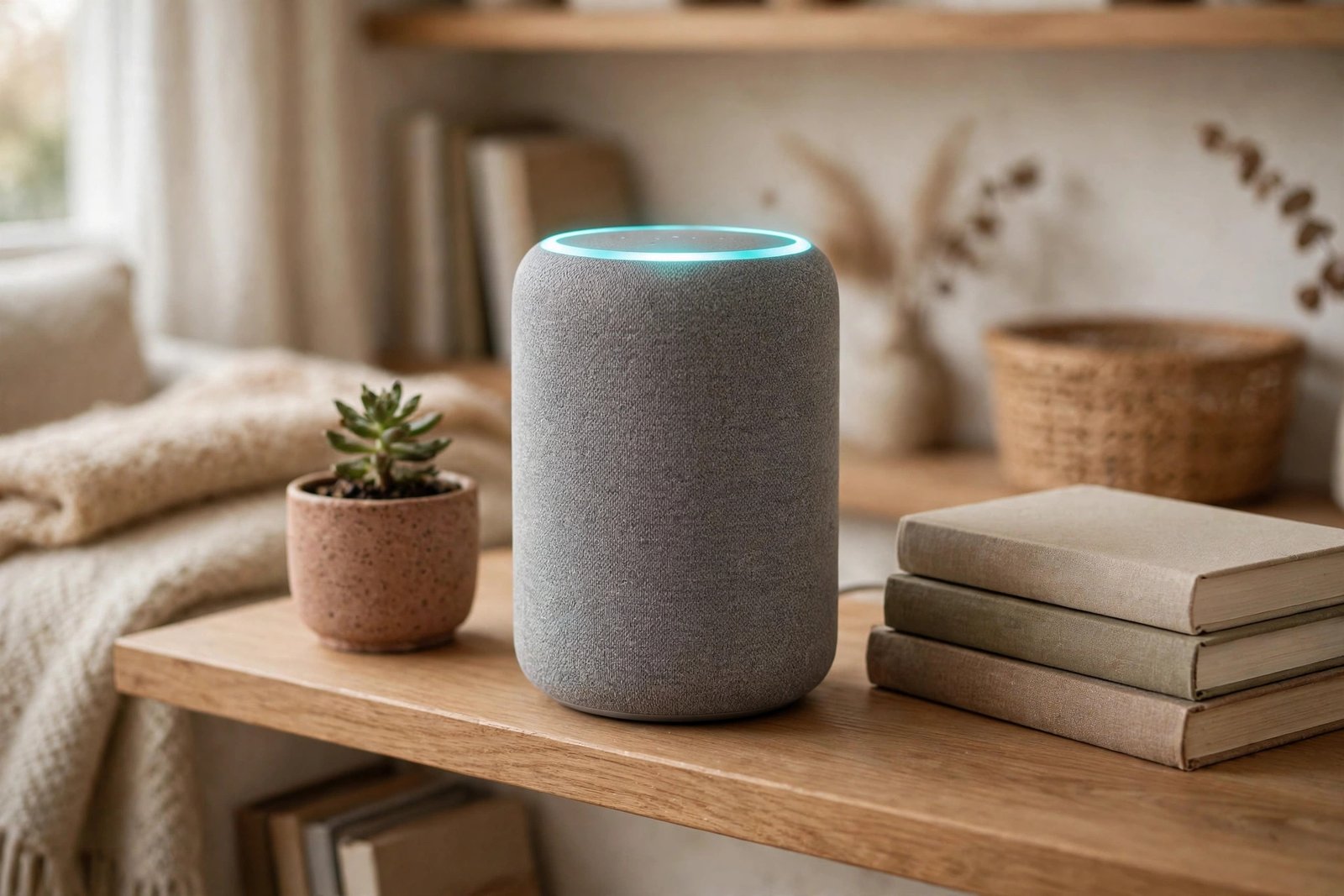
Say “Alexa, play some music” to the small cylinder on your kitchen counter, and music starts a second later. No buttons, no screen, no remote. It feels like the speaker is listening to you and thinking — and in a way, it is. But the speaker itself is not doing most of the thinking. It is mostly ears and a mouth. The real work happens far away, on big computers owned by Amazon, Google, or Apple, and the answer travels back over your Wi-Fi.
In short: a smart speaker waits for one special phrase, called a wake word. When it hears it, it records what you say next, sends that short recording to the cloud, and the cloud figures out what you meant and sends back an answer or an instruction. The whole round trip usually takes about a second.
If you are still deciding whether one of these is worth having at home, our guide on what a smart speaker is covers the basics first. This guide explains how the whole thing actually works, step by step, in plain English.
What Is Inside a Smart Speaker?
Take the cover off a smart speaker and you will find four main parts. None of them is very powerful on its own — the clever part is how they work together.
- Microphones. Most smart speakers have several microphones arranged in a ring. They are built to pick up your voice from across the room, even with music playing or the TV on. Some use a trick called beamforming, which means they can tell which direction your voice is coming from and focus on it while ignoring other noise.
- A speaker. This is the part that plays music, reads out answers, and makes the beeps and chimes. Bigger smart speakers have better sound; the small ones are fine for voice answers and background music.
- A small processor. This is the speaker’s own little brain. It is not powerful enough to understand full sentences — its main job is to listen for the wake word and handle simple jobs like muting the microphones.
- A Wi-Fi chip. This connects the speaker to your home internet. Almost everything a smart speaker does depends on this connection, because the heavy work happens in the cloud, not in the speaker.
Step by Step: What Happens When You Talk to a Smart Speaker
Here is the full journey, from the moment you speak to the moment you hear an answer.
1. The speaker listens for the wake word — and only the wake word
Your smart speaker is always listening, but not in the way most people imagine. A small, low-power part of the device listens locally, inside the speaker itself, for one sound pattern: “Alexa,” “Hey Google,” or “Hey Siri.” Nothing is recorded or sent anywhere until that phrase is heard. That is why the light ring on an Echo only lights up after you say the wake word.
2. Your request is recorded and sent to the cloud
Once the wake word is detected, the speaker starts recording what you say next and sends that short audio clip over Wi-Fi to the company’s servers. The speaker is too small and simple to do the hard thinking itself, so the cloud does it instead. When you stop talking, the recording stops too.
3. Your speech is turned into text
In the cloud, a system called speech recognition breaks your voice down into tiny sound units and matches them against words it knows. This is how “set a timer for ten minutes” stops being sound and becomes text a computer can work with. It also explains why background noise, mumbling, or a loud TV can trip a smart speaker up — if the sounds are unclear, the text will be wrong too.
4. The assistant figures out what you actually mean
Turning speech into text is only half the job. Next, the assistant works out your intent: are you asking a question, giving a command, or asking it to control something in your home? “Turn the living room lights off” is not just words — it is an instruction aimed at your smart lights. Context helps here too. If you just asked about the weather in Chicago and then say “what about tomorrow,” the assistant understands you still mean Chicago.
5. The assistant gets the answer or does the task
Depending on your request, the cloud now does one of three things. For simple built-in jobs like timers and alarms, it handles them directly. For questions like the weather or a sports score, it pulls the answer from a search engine or a built-in service. For music, smart home gadgets, or other apps, it hands the job to the right service — Spotify for music, or your smart lights app for the lights. Then it sends the result back to your speaker.
6. You hear the answer
Finally, the text answer is turned back into speech using a synthesized voice, and your speaker plays it out loud. If you asked it to do something instead — play a song, turn on a lamp, set a timer — that action happens at the same time. From wake word to answer, the whole round trip normally takes a second or two.
What Can a Smart Speaker Do?
Most people buy one for music, then discover it does a lot more. The most common jobs are:
- Answer questions. Weather, sports scores, news headlines, translations, quick facts, and simple math.
- Play music, podcasts, and audiobooks. Ask for a song, a playlist, or a station, and it streams it from a service like Spotify or Amazon Music.
- Manage your day. Set alarms, timers, and reminders, check your calendar, and read your notifications out loud.
- Control your smart home. Turn lights on and off, adjust the thermostat, lock the door, or check a camera — all by voice.
- Call and message. Make hands-free calls or send announcements to other speakers in the house (“dinner’s ready”).
- Run routines. A routine is a set of actions that run from one command. Say “good morning” and the speaker can read the weather, tell you your commute, and start the news, all at once.
- Tell stories and play games. Many speakers can read bedtime stories, play trivia, or keep kids busy with simple voice games.
How a Smart Speaker Controls Your Smart Home
A smart speaker can also act as the control center for your home. It talks to your smart lights, plugs, thermostats, locks, and cameras over Wi-Fi or Bluetooth, and many newer speakers also support the universal Matter standard, which lets gadgets from different brands work together. You link each gadget once in the speaker’s app — Alexa app, Google Home app, or Apple Home — and from then on a voice command is enough: “Set the living room thermostat to 72 degrees.”
Some speakers go further and act as a hub, so your smart gadgets do not each need their own hub to connect. That is one reason people put a speaker in the middle of the house: it becomes the one place that talks to everything else.
Does a Smart Speaker Work Without Wi-Fi?
Almost entirely, no. Because the speech recognition and understanding happen in the cloud, most requests need an internet connection. Without Wi-Fi, a smart speaker cannot answer questions, stream music, or control most smart home gadgets.
There are a few small exceptions. Some speakers can still play music from your phone over Bluetooth without Wi-Fi, and a few basic functions may work locally. But the voice assistant itself — the whole reason the speaker is “smart” — goes quiet until the connection comes back.
Is a Smart Speaker Always Listening to You?
This is the question almost everyone asks, and the honest answer is: it is always listening for the wake word, but it is not recording everything you say. The wake-word check happens on the device itself, and audio is only sent to the cloud after the wake word is heard.
That said, two things are worth knowing. First, a speaker sometimes mishears a similar-sounding phrase as the wake word and starts recording by mistake. Second, if the idea still bothers you, almost every smart speaker has a physical microphone mute button — press it and the microphones switch off until you press it again. You can also review and delete your voice recordings in the Alexa, Google Home, or Apple Home app, and you can turn off voice history saving in your account settings.
Alexa vs Google Assistant vs Siri: The Quick Difference
All three assistants work the same way — wake word, cloud, answer — but they come from different companies and have different strengths.
- Alexa (Amazon Echo). The first smart speaker most people met, launched with the Echo in 2014. It has a very large library of third-party skills and deep ties to Amazon shopping and Echo devices. We explain it in detail in our guide on how Alexa works.
- Google Assistant (Google Nest). Built on Google Search, so it is often stronger at answering open questions and understanding follow-up questions. It fits naturally if you already use Gmail, Google Calendar, YouTube, or Android. See our guide on how Google Assistant works.
- Siri (Apple HomePod). The most private of the three by design, and the natural choice if your home runs on iPhones, iPads, and Apple TV. It does the same core jobs, but with fewer third-party skills than Alexa.
If you already live in one company’s world — Amazon, Google, or Apple — that company’s speaker is usually the easiest choice, because it connects to the services you already use.
Why a Smart Speaker Sometimes Gets It Wrong
Smart speakers are good, but they are not people, and they make predictable mistakes. They can mishear you when there is background noise, when two people talk at once, or when a word sounds like another word. They can struggle with strong accents, unusual names, or vague requests — “play that song from yesterday” means nothing without more detail. And because they learn from patterns rather than truly understanding you, they can confidently answer the wrong question. When that happens, speaking slowly and clearly, or rephrasing the request, usually fixes it.
Frequently Asked Questions
Do smart speakers record everything you say?
No. A smart speaker only sends audio to the cloud after it hears its wake word. The wake-word check happens on the device itself. It can mishear a similar phrase by mistake, but it is not recording your conversations all day.
Do I need a subscription to use a smart speaker?
No. The basic assistant — questions, timers, alarms, and smart home control — is free once you own the speaker. You only pay for extras, like a music streaming subscription, if you want them.
Can I use a smart speaker without a smartphone?
You need a phone or tablet for the one-time setup, because the speaker’s app is where you connect it to Wi-Fi and link your services. After setup, you can use it by voice alone.
What is the difference between a smart speaker and a smart display?
A smart display is a smart speaker with a screen added. It works the same way, but it can also show you the weather, a recipe, a video, or who is at your door. A plain smart speaker only answers by voice.
Can a smart speaker work in a home with no internet?
Not really. The voice assistant needs the cloud, so without internet it cannot answer questions, stream music, or control most smart home gadgets. Bluetooth music from a phone may still work.
Which smart speaker should I buy first?
Pick the one that matches the services you already use: Alexa if you shop on Amazon, Google Assistant if you use Gmail and Android, Siri if you live in Apple’s world. For most people, the cheapest small speaker from that brand is the right place to start.
The Bottom Line
A smart speaker works by splitting the job in two: the speaker itself handles the simple part — listening for the wake word and playing back answers — while the cloud does the hard part of turning your voice into text, working out what you meant, and fetching the answer. Wi-Fi ties the two halves together, and the same setup lets the speaker control your lights, thermostat, and locks. It is not magic, and it is not a tiny brain in a box. It is a good microphone, a decent speaker, and a very fast internet connection to a computer that does the thinking for it.





NWSL Playoffs 2026: Schedule, Bracket, and How to Watch

How Does a Smart Speaker Work? Explained in Simple Terms

Who Owns the Jacksonville Jaguars? Meet Shad Khan

Empower Your SEO and Design with Seotoolsgroupbuy.us’ Designer Plan

Twstalker Twitter Web Viewer: Guide to Anonymous Twitter Browsing
